Plenty of booking software will take an appointment. Far less of it will give you the website the appointment is taken on. The BookingKoala website builder is the second half of that deal: sign up for a trial and the platform builds you a working site – home page, booking page, gift card page, referral page and separate login areas for customers and providers – before you have written a line of copy.
BookingKoala brand card (screenshot from bookingkoala.com)
This review is about that side of the product specifically: what the free site includes, what the paid templates cost, what happens if you would rather keep the website you already have, and the one sentence BookingKoala publishes that answers the question most buyers forget to ask. You can
open a free BookingKoala trial and see the generated site for yourself before paying for anything.
How this review was done
This is a desk review. Nobody here signed up, generated a site or installed a template. Everything below was read on 26 October 2026 from BookingKoala own themes page, features page and pricing page, including the template price cards and the plan comparison matrix. Capability claims are reported as company claims and quoted where the wording matters. No third-party ratings, complaints or competitor comparisons are used.
BookingKoala website builder: two routes in, both free
The themes page opens by splitting its audience in two, and it is worth quoting because the pricing page does not mention this at all:
The BookingKoala website builder themes page states both routes cost nothing extra (screenshot from bookingkoala.com)
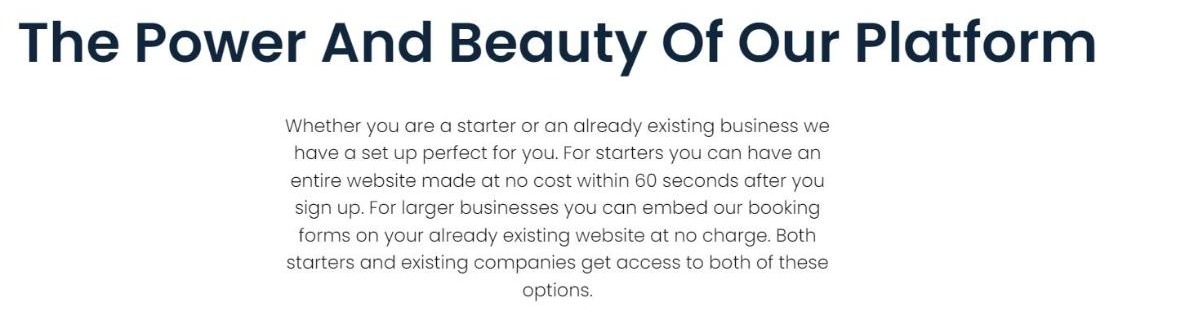
“Whether you are a starter or an already existing business we have a set up perfect for you. For starters you can have an entire website made at no cost within 60 seconds after you sign up. For larger businesses you can embed our booking forms on your already existing website at no charge. Both starters and existing companies get access to both of these options.”
So the BookingKoala website builder is not an upsell sitting next to the booking engine; it is bundled, and so is the alternative to using it. That distinction matters because a service business with a site it likes is usually the one that assumes this kind of platform will force a rebuild.
What the free BookingKoala website builder site actually ships with
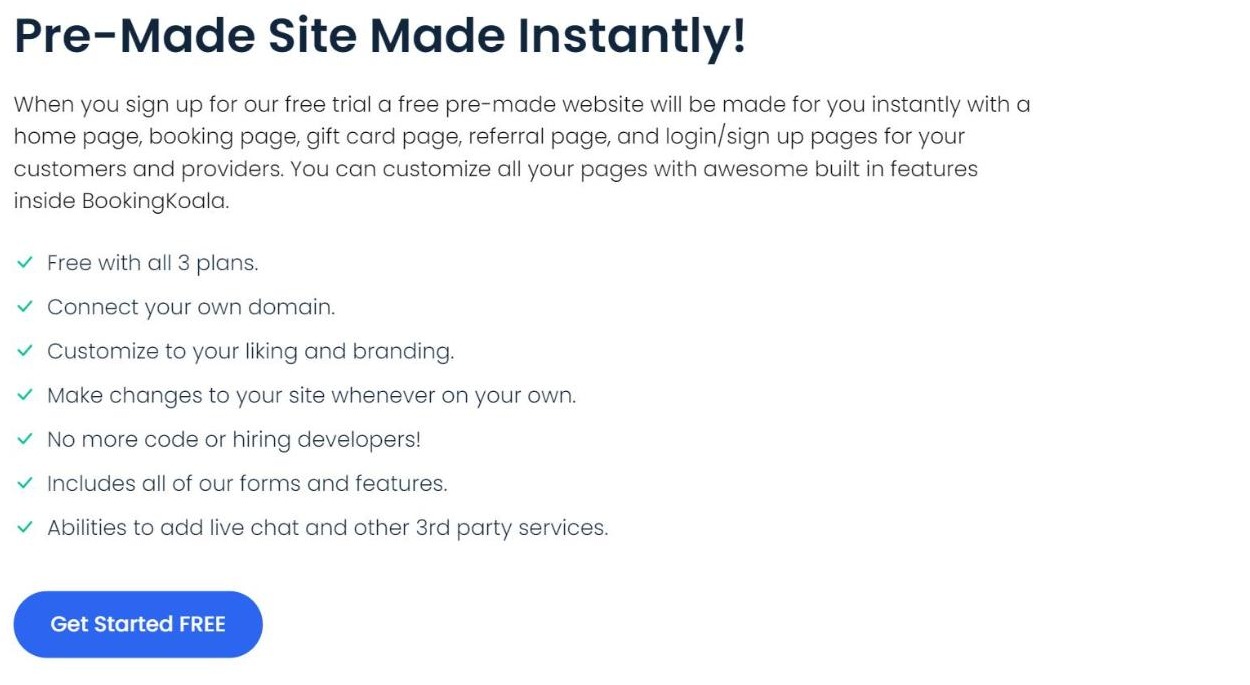
The BookingKoala website builder lists the generated pages explicitly: a home page, a booking page, a gift card page, a referral page, and login and sign-up pages for
both customers and providers. Add the BookingKoala website builder dashboards behind those logins and you are looking at seven distinct page types created on signup.
What BookingKoala says the pre-made site includes (screenshot from bookingkoala.com)
| Published claim |
What it means in practice |
| Free with all 3 plans |
The site is not reserved for the higher tiers |
| Connect your own domain |
You are not stuck on a vendor subdomain |
| Customize to your liking and branding |
Colours, text and images are yours to change |
| Make changes to your site whenever on your own |
No ticket, no wait on an agency |
| No more code or hiring developers |
The stated reason the builder exists |
| Includes all of our forms and features |
The booking engine is already wired in |
| Abilities to add live chat and other 3rd party services |
Third-party scripts are allowed |
The separate customer and provider dashboards are the part that is easy to undervalue. A generic website builder gives you pages; the BookingKoala website builder gives you two logged-in areas that already know what a booking is, which is the difference between a brochure and a working storefront.
BookingKoala website builder editing: pages, popups, blog, domain and tracking
The features page sets out what the BookingKoala website builder can do once the site exists, and it reads like a small but complete website toolkit rather than a token page editor.
Website options published on the BookingKoala features page (screenshot from bookingkoala.com)
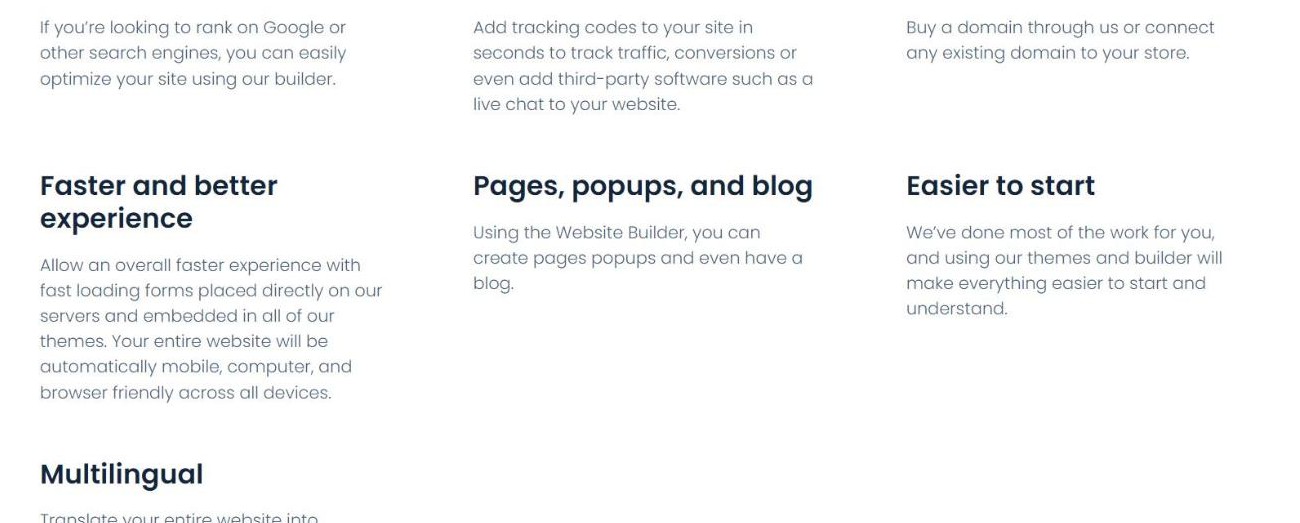
- Pages, popups, and blog – “Using the Website Builder, you can create pages popups and even have a blog.”
- Use your domain – “Buy a domain through us or connect any existing domain to your store.”
- Tracking codes – added “in seconds to track traffic, conversions or even add third-party software such as a live chat”.
- SEO friendly – “If you are looking to rank on Google or other search engines, you can easily optimize your site using our builder.”
- Faster and better experience – forms are “placed directly on our servers and embedded in all of our themes”, with the site described as “automatically mobile, computer, and browser friendly across all devices”.
- Multilingual – the site can be translated, with provider and customer accounts available in different languages.
- Easier to start – the company frames the themes as pre-done work rather than a blank canvas.
One honest caveat on the BookingKoala website builder SEO line: a builder can only hand you the controls. Whether the site ranks still comes down to the fundamentals that search engines themselves publish – useful content, descriptive titles, crawlable links and pages that load. Google own
SEO Starter Guide is the free reference for that, and it is a better use of an afternoon than any vendor checklist. The BookingKoala website builder gives you the blog, the titles and the tracking codes; the writing is still yours.
The booking form that comes with the BookingKoala website builder
A BookingKoala website builder bundled with booking software is only interesting if the form is good, and this is the one component BookingKoala documents hardest. Its own pitch for the form is that it should sell without you: “Let the Form work for you even when you are sleeping”, and “Save time by having fewer calls to your office and use those savings elsewhere.”
The configuration options published for it go well past name, date and email:
- Multi-industry – a cleaning company offering home cleaning, office cleaning and post-construction clean-up can run three industries with three pricing points on one site.
- Multi-location and time zone – different prices and sales tax per location, pricing resolved per zip code, and a multi-time-zone option.
- Automatic charges – take payment up front, or activate charging only after the job is completed.
- Expedited charges – an extra fee for same-day appointments.
- Credit card or cash and check – the form does not force card-only booking.
- Service area versus merchant area – work done at your place, the customer place, or both.
Because the BookingKoala website builder forms sit “directly on our servers and embedded in all of our themes”, the same form behaves identically whether it lives on the generated site or on a page of your own. That is the technical reason the switch between the two routes is painless.
BookingKoala website builder gift card and referral pages
Two of the seven generated BookingKoala website builder page types are the ones most small service sites never get round to building: a gift card page and a referral page. Both are created on signup and both are listed among the pages you can embed into an existing site, so neither is tied to using the hosted theme.
The marketing module behind the BookingKoala website builder adds coupons with restrictions you set, daily discounts that push customers toward your slow days, a referral programme, and a review system that can route happy customers to Yelp and Google. A gift card page costs a generic site builder a plugin, a payment integration and an afternoon; here it is a page that already exists.
The four paid BookingKoala website builder templates
Beyond the free theme, the BookingKoala website builder offers four one-time templates you can “install with a click of a button and edit towards your liking by changing text and images”.
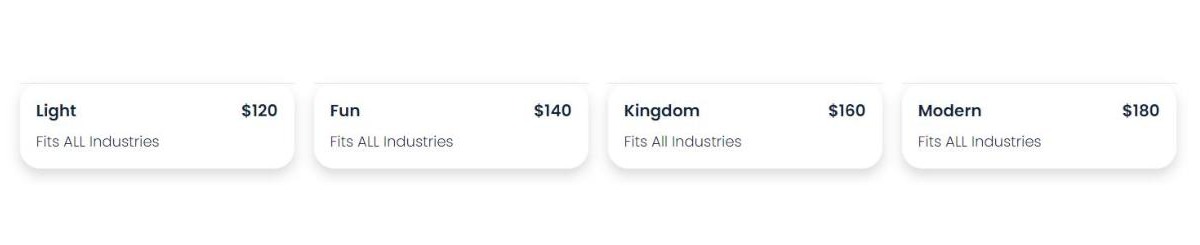
The four paid templates priced at 120, 140, 160 and 180 US dollars (screenshot from bookingkoala.com)
| Template |
One-time price |
Published scope |
| Light |
120 USD |
Fits ALL Industries |
| Fun |
140 USD |
Fits ALL Industries |
| Kingdom |
160 USD |
Fits All Industries |
| Modern |
180 USD |
Fits ALL Industries |
Two BookingKoala website builder facts fall out of that table. First, the prices are a flat
20-dollar ladder – 120, 140, 160, 180 – which is the same tidy arithmetic BookingKoala uses on its larger plan slider. Second, and more useful to a buyer:
every paid template carries exactly the same “Fits ALL Industries” label as the free one. Nothing on the page claims extra functionality for the paid designs. On BookingKoala own description, the money buys a look, not capability.
Spending 120 dollars on a BookingKoala website builder template is reasonable if design is the bottleneck and 180 dollars is cheaper than a designer, which it is. It is also a reasonable thing to skip on day one, launch on the free theme, and revisit once the bookings are coming in. Each BookingKoala website builder template has a live demo linked from the page, so you can look before you buy.
Keeping your site instead of the BookingKoala website builder
If you do not want the BookingKoala website builder at all, BookingKoala publishes the other route in equal detail: place the booking forms, gift card pages, referral pages and login or sign-up pages on the site you already run, customised to your existing branding.
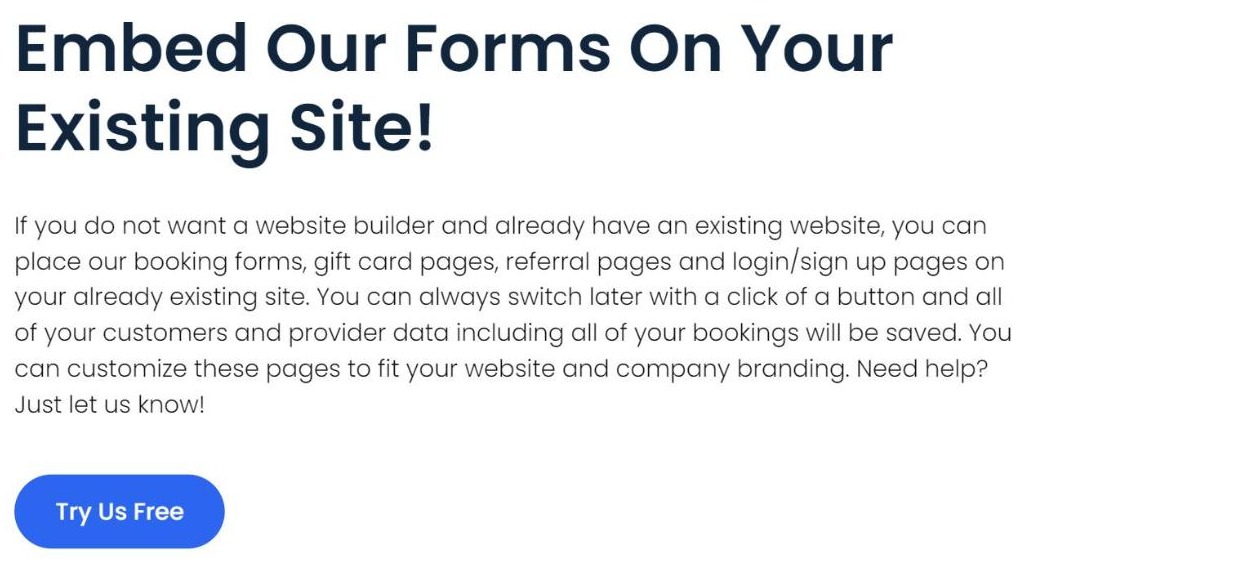
The embed route as BookingKoala describes it (screenshot from bookingkoala.com)
This is the answer for an established business with a site it has already paid for, and it is also why the plan comparison lists “Connect With Your Existing Site” as a tick on all three tiers rather than a premium add-on. Both BookingKoala website builder routes are available from the
same signup page.
The sentence worth reading twice
Buried in the middle of that same BookingKoala website builder paragraph is the line that answers the lock-in question most people only think to ask after they have committed:
“You can always switch later with a click of a button and all of your customers and provider data including all of your bookings will be saved.”
Read plainly, that is a published BookingKoala website builder commitment that the choice between “use their website” and “embed into mine” is
reversible, and reversible without losing the booking history. Most platforms leave this unanswered, which is precisely why it is worth quoting rather than paraphrasing. It is a company statement rather than a contract term, so if the data matters to you it is a sentence to get confirmed in writing before you migrate – but the fact that it is published at all puts BookingKoala ahead of vendors who stay quiet about it.
Which plan the BookingKoala website builder comes with
All three published plans include the BookingKoala website builder. Prices are monthly, in US dollars:
| Plan |
Monthly price |
Capacity |
Website-related inclusions |
| Starter |
27 USD |
5 providers or 5 GB |
Advanced theme builder, your own domain, blog, SEO, connect to an existing site, 1 custom lead form |
| Growing |
57 USD |
15 providers or 15 GB |
Everything in Starter, plus advanced reports and the referral and rating system |
| Premium |
From 197 USD |
50 providers or 50 GB |
Everything in Growing, plus Campaigns (5,000 contacts) and unlimited lead forms |
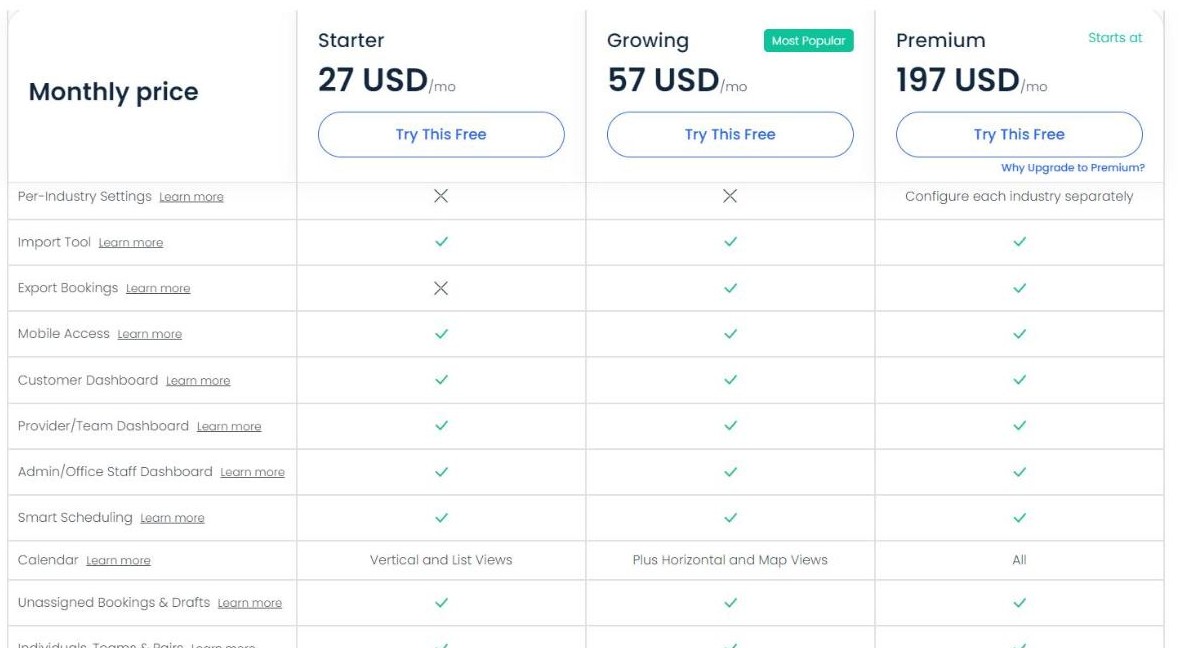
Customer, provider and admin dashboards appear on all three plans (screenshot from bookingkoala.com)
The BookingKoala website builder comparison matrix confirms the pattern: Customer Dashboard, Provider and Team Dashboard, Admin and Office Staff Dashboard and Mobile Access are ticked on
all three tiers. What the higher plans add is capacity and marketing automation, not web pages. For a one-person operation that means the 27-dollar plan is a genuine starting point rather than a crippled demo.
One small BookingKoala website builder note if you are timing a trial: the pricing page source carries two trial lengths, a standard 14 and an extended 30, and the one that renders on a desktop layout is 14 days. Worth confirming which one your account gets before you plan the evaluation.
Five BookingKoala website builder checks before you buy a template
- Launch on the free theme first. It is included on every plan and carries the same “Fits ALL Industries” label as the paid ones.
- Open the live demos. Each of the four templates links to one; design is the only thing you are judging.
- Confirm the template price is one-time, not an added monthly line, before you check out.
- Decide the domain question early – you can buy through BookingKoala or connect one you own.
- Ask support to confirm the switch-and-keep-your-bookings line in writing if you may move between the hosted site and an embedded setup later.
All five BookingKoala website builder questions are answerable before you spend anything, which is the useful part of a
free trial on the BookingKoala site.
Who the BookingKoala website builder fits
| This suits you if |
Look elsewhere if |
| You have no website yet and want one the same day you sign up |
You already have a site you love and want nothing to do with a builder – although the embed route still covers you |
| You want the booking engine and the website from one vendor |
You need a bespoke design that no template can approximate |
| You will edit your own pages rather than file tickets with an agency |
You want a developer-grade templating language and full code access |
| A blog, popups, custom domain and tracking codes cover your marketing needs |
Your site is a content operation first and a booking page second |
| 120 to 180 dollars one-time is a sensible design budget |
You expect the paid templates to unlock extra features – they do not |
The short version
The BookingKoala website builder is the most quietly useful part of the platform. A working site with seven page types arrives on signup, it is free on all three plans including the 27-dollar one, you can point your own domain at it, add a blog, drop in tracking codes and translate it. If you would rather keep the site you have, the embed route is published as free too, and the company states in writing that moving between the two keeps your customers, providers and bookings intact.
The four paid templates are honest about what they are: four designs at 120, 140, 160 and 180 dollars, every one of them labelled as fitting all industries, exactly like the free theme. Buy one because you want the look, not because you expect it to add features.
Overall: 8.4 out of 10 for the BookingKoala website builder. Current template prices, plan inclusions and trial terms are on the
official BookingKoala signup page.
This article contains affiliate links. If you sign up through them the price you pay does not change. All figures were read from the vendor own published pages on 26 October 2026 and may change without notice.